Minimalist Theme
Design System
미니멀하고 세련된 디자인 시스템입니다. Light/Dark 모드를 모두 지원합니다.
Colors
Primary (Purple)
50
100
200
300
400
500
600
700
800
900
950
Accent (Blue)
50
100
200
300
400
500
600
700
800
900
950
Secondary (Navy)
50
100
200
300
400
500
600
700
800
900
950
Status Colors
success
warning
error
info
Brand Soft (배너/하이라이트 배경 — light/dark 자동 분기)
primary-soft
secondary-soft
accent-soft
Status Soft (배너/하이라이트 배경 — light/dark 자동 분기)
success-soft
warning-soft
error-soft
info-soft
Semantic Background (bg-surface-*) — 신규 코드는 이쪽을 사용
bg-surface메인 페이지 배경
bg-surface-secondary카드/섹션 보조 배경
bg-surface-tertiary3차 배경 (구분/회색)
bg-surface-elevated카드/모달 elevated
bg-surface-hoverhover 상태
bg-surface-activeactive 상태
bg-surface-selected선택 상태
Semantic Text (text-content-*) — 신규 코드는 이쪽을 사용
Aa 본문 텍스트 샘플
text-content-primary본문 기본 텍스트
Aa 본문 텍스트 샘플
text-content-secondary보조 텍스트
Aa 본문 텍스트 샘플
text-content-tertiary3차 텍스트
Aa 본문 텍스트 샘플
text-content-mutedplaceholder, disabled
Aa 본문 텍스트 샘플
text-content-inverse어두운 배경 위 흰색
Semantic Border (border-stroke-*)
border-stroke-default기본 경계선
border-stroke-hoverhover 경계선
border-stroke-focusfocus 경계선
Typography
Title 5 / 2.5rem
AIGEO Score
Title 4 / 2rem
AI 시대의 검색 최적화
Title 3 / 1.5rem
핵심 서비스
Title 2 / 1.3125rem
섹션 제목
Large / 1.0625rem
카드 제목 및 강조 텍스트
Regular / 0.9375rem
본문 텍스트입니다. Team HAI는 SEO를 넘어 AEO와 GEO까지 아우르는 AI 시대 종합 검색 최적화 플랫폼입니다.
Small / 0.8125rem
보조 텍스트 및 캡션에 사용됩니다.
Mini / 0.75rem
라벨, 태그, 메타 정보에 사용됩니다.
Font Families
Pretendard → Helvetica(macOS/Safari) → Noto Sans KR(Windows)
font-sans (기본)Team HAI — 팀 하이 ABC 123 abc
→ font-sans 와 동일 스택 사용 (하위 호환용)
font-inter (deprecated alias)Team HAI — 팀 하이 ABC 123 abc
→ font-sans 와 동일 스택 사용 (하위 호환용)
font-pretendard (alias)Team HAI — 팀 하이 ABC 123 abc
Berkeley Mono - 코드/수치
font-monoTeam HAI — 팀 하이 ABC 123 abc
Font Sizes
| Name | Size | Line Height | Preview | |
|---|---|---|---|---|
text-micro | 0.6875rem (11px) | 1.4 | Aa 가나다 | |
text-mini | 0.75rem (12px) | 1.4 | Aa 가나다 | |
text-small | 0.8125rem (13px) | 1.5 | Aa 가나다 | |
text-regular | 0.9375rem (15px) | 1.6 | Aa 가나다 | |
text-large | 1.0625rem (17px) | 1.6 | Aa 가나다 | |
text-title-1 | 1.0625rem (17px) | 1.4 / 600 | Aa 가나다 | |
text-title-2 | 1.3125rem (21px) | 1.33 / 600 | Aa 가나다 | |
text-title-3 | 1.5rem (24px) | 1.33 / 600 | Aa 가나다 | |
text-title-4 | 2rem (32px) | 1.33 / 600 | Aa 가나다 | |
text-title-5 | 2.5rem (40px) | 1.1 / 600 | Aa 가나다 | |
text-title-6 | 3rem (48px) | 1.1 / 600 | Aa 가나다 | |
text-title-7 | 3.5rem (56px) | 1.1 / 600 | Aa 가나다 | |
text-title-9 | 4.5rem (72px) | 1.1 / 600 | Aa 가나다 |
Font Weights
font-lightAa 가
Light (300)
font-normalAa 가
Normal (400)
font-mediumAa 가
Medium (500)
font-semiboldAa 가
Semibold (600)
font-boldAa 가
Bold (700)
Border Radius
Custom (Team HAI)
4px6px8px12px16px24px32pxTailwind Default
0px2px4px6px8px12px16px24px9999pxShadows & Glow
shadow-glow-indigoshadow-glow-blueshadow-glow-greenGradients
bg-brand-gradientBrand Gradient (Navy → Purple → Blue)
linear-gradient(166.06deg, #2a3660 8.92%, #6877e5 50.66%, #54bcf6 92.40%)bg-linear-gradientLinear (Indigo → Blue)
linear-gradient(135deg, #5e6ad2 0%, #4ea7fc 100%)bg-hero-gradientHero Gradient (Dark)
linear-gradient(180deg, #08090a 0%, #111214 50%, #08090a 100%)Animations & Transitions
Transition Durations
duration-quick100ms
duration-regular250ms
Animation Classes
animate-fade-inFade In · 0.25s ease-out
animate-fade-in-upFade In Up · 0.25s ease-out
animate-slide-upSlide Up · 0.25s ease-out
animate-slide-downSlide Down · 0.25s ease-out
animate-scale-inScale In · 0.15s ease-out
animate-slide-in-leftSlide In Left · 0.2s ease-out
CSS Variables — Light / Dark Mode
시맨틱 컬러 토큰은 Light/Dark 모드에 따라 자동으로 전환됩니다. JSX에서는 var(--color-*), Tailwind 에서는 bg-(--color-*) 형태로 사용합니다.
Background
| Token | Light | Dark | Preview | |
|---|---|---|---|---|
--color-surface | #ffffff | #2a3660 | ||
--color-surface-secondary | #fafafa | #060d15 | ||
--color-surface-tertiary | #efefef | #08111c | ||
--color-surface-elevated | #ffffff | #08111c | ||
--color-surface-hover | #efefef | #0a1623 | ||
--color-surface-active | #d9d9d9 | #0c1a2a | ||
--color-surface-selected | #dbdde0 | #0c1a2a | ||
--color-surface-selected-hover | #b4b9bf | #0d1d2f |
Text
| Token | Light | Dark | Preview | |
|---|---|---|---|---|
--color-text | #222222 | #fafafa | ||
--color-text-secondary | #666666 | #b1aea9 | ||
--color-text-tertiary | #999999 | #8e8b87 | ||
--color-text-muted | #999999 | #6a6865 | ||
--color-text-white | #ffffff | #ffffff |
Border
| Token | Light | Dark | Preview | |
|---|---|---|---|---|
--color-border | #d9d9d9 | rgba(255,255,255,0.1) | ||
--color-border-hover | #bcbcbc | rgba(255,255,255,0.2) | ||
--color-border-focus | rgba(13,29,47,0.5) | rgba(104,119,229,0.5) |
Primary / Secondary / Accent (Brand)
| Token | Light | Dark | Preview | |
|---|---|---|---|---|
--color-primary | #6877e5 | #6877e5 | ||
--color-primary-hover | #5e6bce | #8990f0 | ||
--color-primary-action | #6877e5 | #6877e5 | ||
--color-primary-action-hover | #4e59ac | #4e59ac | ||
--color-primary-light | #f0f1fc | rgba(104,119,229,0.15) | ||
--color-primary-soft | rgba(104,119,229,0.10) | rgba(132,144,235,0.18) | ||
--color-secondary | #34508c | #4f70b3 | ||
--color-secondary-hover | #2c447a | #5f7fc0 | ||
--color-secondary-light | #eef2f9 | rgba(52,80,140,0.25) | ||
--color-secondary-soft | rgba(52,80,140,0.08) | rgba(52,80,140,0.20) | ||
--color-accent | #54bcf6 | #54bcf6 | ||
--color-accent-hover | #38bdf8 | #7dd3fc | ||
--color-accent-soft | rgba(84,188,246,0.15) | rgba(84,188,246,0.20) |
Brand Palette (50–950)
| Token | Light | Dark | Preview | |
|---|---|---|---|---|
--color-primary-50 | #f0f1fc | rgba(104,119,229,0.12) | ||
--color-primary-100 | #e8ebfb | rgba(104,119,229,0.18) | ||
--color-primary-200 | #d0d5f7 | #d0d5f7 | ||
--color-primary-300 | #a8b0f0 | #a8b0f0 | ||
--color-primary-400 | #8490eb | #8490eb | ||
--color-primary-500 | #6877e5 | #6877e5 | ||
--color-primary-600 | #5e6bce | #5e6bce | ||
--color-primary-700 | #535fb7 | #535fb7 | ||
--color-primary-800 | #4e59ac | #4e59ac | ||
--color-primary-900 | #3e4789 | #3e4789 | ||
--color-primary-950 | #242a50 | #242a50 | ||
--color-secondary-50 | #eef2f9 | rgba(52,80,140,0.18) | ||
--color-secondary-100 | #dde4f1 | rgba(52,80,140,0.28) | ||
--color-secondary-500 | #34508c | #34508c | ||
--color-secondary-950 | #121b2d | #121b2d | ||
--color-accent-50 | #f0f9ff | rgba(84,188,246,0.10) | ||
--color-accent-100 | #e0f2fe | rgba(84,188,246,0.16) | ||
--color-accent-500 | #0ea5e9 | #0ea5e9 | ||
--color-accent-950 | #082f49 | #082f49 |
Team HAI Brand Aliases
| Token | Light | Dark | Preview | |
|---|---|---|---|---|
--color-navy | #2a3660 | #2a3660 | ||
--color-navy-hover | #263156 | #263156 | ||
--color-navy-dark | #202948 | #202948 | ||
--color-purple | #6877e5 | #6877e5 | ||
--color-purple-hover | #5e6bce | #5e6bce | ||
--color-blue-brand | #54bcf6 | #54bcf6 |
Status Colors
| Token | Light | Dark | Preview | |
|---|---|---|---|---|
--color-success | #22c55e | #22c55e | ||
--color-error | #ef4444 | #ef4444 | ||
--color-warning | #f97316 | #f97316 | ||
--color-info | #3b82f6 | #3b82f6 | ||
--color-success-soft | rgba(34,197,94,0.14) | rgba(34,197,94,0.22) | ||
--color-error-soft | rgba(239,68,68,0.14) | rgba(239,68,68,0.22) | ||
--color-warning-soft | rgba(249,115,22,0.14) | rgba(249,115,22,0.22) | ||
--color-info-soft | rgba(59,130,246,0.14) | rgba(59,130,246,0.22) | ||
--color-green (alias) | #22c55e | #22c55e | ||
--color-red (alias) | #ef4444 | #ef4444 | ||
--color-orange (alias) | #f97316 | #f97316 | ||
--color-yellow (alias) | #eab308 | #eab308 | ||
--color-indigo (alias) | #6366f1 | #6366f1 | ||
--color-blue (alias) | #3b82f6 | #3b82f6 |
Shadows
| Token | Light | Dark | Preview | |
|---|---|---|---|---|
--shadow-sm | 0 1px 2px rgba(0,0,0,0.05) | 0 1px 2px rgba(0,0,0,0.3) | ||
--shadow-md | 0 4px 6px -1px rgba(0,0,0,0.1) | 0 4px 6px -1px rgba(0,0,0,0.4) | ||
--shadow-lg | 0 10px 15px -3px rgba(0,0,0,0.1) | 0 10px 15px -3px rgba(0,0,0,0.5) |
Layout & Motion
| Token | Light | Dark | Preview | |
|---|---|---|---|---|
--header-height | 64px | 64px | ||
--page-padding-inline | 24px | 24px | ||
--page-max-width | 1024px | 1024px | ||
--speed-quick | 0.1s | 0.1s | ||
--speed-regular | 0.25s | 0.25s |
Buttons
치수는 Figma
플랫폼 Button 기준. 라운드는 전 사이즈 4px, 아이콘 간격은 xs·sm 4px / md 이상 8px.Variants
Sizes — h / px / gap (Figma 플랫폼 Button)
With Icons
States
AIGenerateButton
모든 "AI 생성/조사/추천" 액션의 단일 표준 버튼. 디자인 시스템 AI 아이콘 +
ai 토큰(연한 파랑 채움 + 테두리 + 진한 파랑 글자)으로 통일한다. Sparkles + primary 버튼을 따로 만들지 말 것.기본 (단발 액션)
토글 (active — 패널 열림/닫힘)
States
IconButton
아이콘만 있는 버튼.
aria-label이 필수이고 type="button"이 기본값이라 form 내부에서도 안전하다. 스타일은 variant(ghost/outline/filled) × tone(default/primary/destructive/success/warning) 로 직교 분리한다.Sizes (variant=ghost, tone=default)
Variant × Tone matrix
ghost
outline
filled
States
실제 사용 예시 (인라인 액션)
example.com — 소유 미디어 항목
Code
import { IconButton } from "@inus/ui";
import { Pencil, Trash2 } from "lucide-react";

// 기본 (ghost / default / md)
<IconButton icon={Pencil} aria-label="편집" />

// 파괴적 액션
<IconButton
  icon={Trash2}
  aria-label="삭제"
  tone="destructive"
  tooltip="이 항목을 삭제합니다"
/>

// 강조된 primary 액션
<IconButton
  icon={Check}
  aria-label="승인"
  variant="filled"
  tone="primary"
  size="lg"
/>
Chip
인터랙티브 칩 (토글/필터/제거 가능 태그) 컴포넌트.
Badge(정적 정보 표시)와 분리된 역할.onClick이 있으면 cursor-pointer + role="button", onRemove가 있으면 우측 X 버튼, active로 선택 상태 표현. 사이즈는 Button과 동일한 7단계.Variants (size=md, active=false)
defaultprimaryaccentoutlinesuccesswarningerror
Variants (active=true) — 선택 상태
defaultprimaryaccentoutlinesuccesswarningerror
Sizes (variant=primary)
xssmmdlgxl2xl3xl
With icon
필터태그완료실패
Removable (X 버튼) — onRemove
seoultourismk-foodk-pop
Interactive — onClick (토글)
임시저장 토글
ChipGroup — single (라디오 그룹)
전체임시저장발행됨예약됨
선택값: all
ChipGroup — multiple (다중 선택)
ReactNext.jsTailwindTypeScriptPrisma
선택값: react, tailwind
Disabled
disableddisabled (with onClick)
Code
import { Chip, ChipGroup } from "@inus/ui";
import { Filter, Tag } from "lucide-react";

// 정적 표시 (인터랙티브 X)
<Chip variant="primary">관리자</Chip>

// 토글 칩
<Chip
  variant="outline"
  active={isSelected}
  onClick={() => setIsSelected(!isSelected)}
  icon={Filter}
>
  필터
</Chip>

// 제거 가능 태그
<Chip variant="primary" onRemove={() => removeTag(tag)}>
  {tag}
</Chip>

// 라디오 그룹
<ChipGroup
  options={[
    { value: "all", label: "전체" },
    { value: "draft", label: "임시", icon: Pencil },
  ]}
  value={value}
  onChange={setValue}
/>

// 다중 선택
<ChipGroup
  multiple
  options={tagOptions}
  value={selectedTags}
  onChange={setSelectedTags}
  variant="primary"
/>
Inputs
입력형 컨트롤의 라운드는 최대 4px이며, 좌우 여백은 12px(전 사이즈), 높이는 sm 32 / md 36 / lg 40. 포커스는 링이 아니라 테두리 primary + 옅은 그림자로만 표시한다 (텍스트 인풋은 브라우저가 마우스 클릭도
:focus-visible로 취급해 링이 상시 노출되므로 사용하지 않는다).Variants
Sizes
With Icons
Label / Helper (Figma 구조)
helper text
helper text
비활성 상태는 배경색으로 표현한다
Error State
This field is required
helper text
Please select an option
Textarea
Input과 동일하게 최대 4px 라운드를 사용한다
Select
Please select an option
Checkbox & Toggle
Checkbox
This is a helpful description text
Toggle
Smaller size variant
File Upload (FileDropzone)
버튼 클릭 · 드래그&드롭 · 클립보드 붙여넣기 통일 컴포넌트
- • PDF · TXT · MD
- • 클릭 · 드래그&드롭 · 붙여넣기(Ctrl+V)
- • 파일당 최대 5.00 MB
variant="box" · multiple · maxSizeMB · AttachmentList
이미지 업로드 + 브랜드 파일 불러오기
variant="button" · 업로드 또는 브랜드 파일(포털) 선택 · 커스텀 프리뷰는 형제로 배치
Cards
Default Card
Basic card with header
카드 컨텐츠 영역입니다. 다양한 정보를 표시할 수 있습니다.
Elevated Card
Elevated surface (그림자 없음)
카드는 그림자를 쓰지 않는다. 깊이는 배경색(bg-elevated)과 테두리로만 표현한다. 그림자는 떠 있는 UI(드롭다운·툴팁·FAB·sticky)에만 남긴다.
Highlight Card
NewEmphasized card style
강조가 필요한 콘텐츠에 사용됩니다.
Top Accent Card
Card with colored top border accent
상단에 컬러 액센트 보더가 있는 카드입니다. borderTopColor를 style로 지정하여 원하는 색상을 사용합니다.
Interactive Card
Clickable card with hover effect
호버 시 테두리 색상이 변경되는 인터랙티브 카드입니다.
87
AIGEO Score
Image Cards
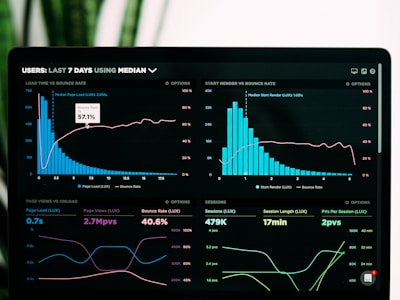
Featured
AI Analytics Dashboard
실시간 AI 검색 트렌드 분석과 인사이트를 확인하세요.

SEO Performance
월간 SEO 성과 리포트와 개선 추천사항입니다.
4.9

GEO Strategy Guide
AI 시대 검색 최적화 전략 가이드북
Horizontal Layout (Left Image)

Enterprise Plan
대규모 팀을 위한 맞춤형 AI 검색 최적화 솔루션입니다. 전담 매니저와 함께 브랜드 성장을 가속화하세요.
Background Image with Overlay

Coming Soon
Next-Gen AI Platform
더 강력해진 AI 분석 엔진으로 검색 최적화의 새로운 기준을 제시합니다.
Video Card Style

AIGEO 시작하기
Carousel
Basic Carousel
Multi-Slide Carousel
Image Card Carousel
Analytics
실시간 분석 대시보드

Reports
상세 리포트 생성

Insights
AI 인사이트 도출

Team
협업 기능
Autoplay Carousel
Hashtag
Chip 기반 #tag 전용 래퍼. 치수는 Figma Hashtag 기준 — pill(라운드 full), 높이 sm 28 / md 32 / lg 36, 좌우 여백 8 / 10 / 12, 제거 아이콘은 전 사이즈 12px.Variants
#default#primary#accent#outline#success#warning#error
Sizes — h / px
#sm 28/8#md 32/10#lg 36/12
Interactive & Removable
#clickable#removable#activenoHash
Hashtag Input
#SEO#AEO#GEO
현재 태그: SEO, AEO, GEO
Hashtag Group (Selectable)
#SEO#AEO#GEO#Content#Analytics#Strategy
선택됨: SEO
MultiSelect
Basic MultiSelect
서비스를 선택하세요
선택됨: 0개
Grouped MultiSelect
옵션을 선택하세요
Limited Selection (Max 3)
최대 3개까지 선택
With Error State
필수 선택 항목
최소 1개 이상 선택해주세요
Sizes
SEO 최적화
SEO 최적화
SEO 최적화
Badges
치수는 Figma
Badges 기준 — 라운드 4px, 높이 sm 20 / md 22, 좌우 여백 8 / 8 / 12, dot 지름 sm 4 / md·lg 6, dot↔텍스트 간격 4.Variants
DefaultPrimarySecondaryOutlineAccentSuccessWarningErrorInfo
Sizes — h / px / py
sm 20/8/2md 22/8/2lg auto/12/4
With Dot
OnlineAwayOfflineIn Progress
Dismissible (deprecated)
⚠ Badge.onDismiss는 deprecated.
제거 가능한 칩이 필요하면 <Chip onRemove={...}> 사용 — Badge는 정적 정보 표시 전용으로 유지.
PrimaryDefaultSuccessSmallLarge
Avatar
Sizes
XSSMMDLGXL2X
With Image & Fallback
 CNJD
CNJDAvatar Group
ABC+3
Tabs
Default Tabs
Overview content goes here.
Line Tabs
Details content.
Line Tabs (Emphasis)
선택 시 라인 · 글자색 · 두께가 함께 강조되고 배경이 살짝 바뀝니다.
Pills Tabs
All items.
SegmentedFilter
기본 (marker=none) — 단일 선택, 선택 칸 채움
RADIO — 단일 선택 (ALL 포함)
CHECKBOX — 다중 선택 (기본 전부 ON, 하나 빼면 필터 · 마지막 1개는 유지)
선택됨: own, competitor
DOT(신호등) — 다중 선택 + tone 색점
fullWidth — 컨테이너 균등 분할
FilterBar
필터 + 검색 (목록 페이지 표준)
필터
검색만 (필터 컨트롤 없음)
필터
Skeleton
Basic
Avatar Skeleton
Text Skeleton
Card Skeleton
Gradients & Effects
Text Gradient
AI가 추천하지 않으면, 브랜드는 존재하지 않는다.
Glow Effects
Primary Glow
Glass Effect
Glass Morphism
Backdrop blur effect
Navbar
Default Navbar
Solid Navbar
Blur (Glass) Navbar
Scroll to see glass effect
Footer
Default Footer
Footer with Newsletter
Minimal Footer
Centered Footer
Hero
Default Hero (Fade In)
New Feature
AI 시대의 검색 최적화
SEO + AEO + GEO를 통합한 AI 검색 최적화 플랫폼으로 브랜드 가시성을 극대화하세요.
Slide Up Hero
Team HAI Platform
AI가 추천하지 않으면,
브랜드는 존재하지 않는다
전 세계 AI 검색 엔진에서 당신의 브랜드가 최상위에 노출되도록 만듭니다.
Stagger Animation Hero
Next-Gen Platform
AIGEO Score로 시작하는
검색 최적화 여정
단 5분만에 SEO, AEO, GEO 통합 진단을 받고 즉시 개선을 시작하세요.
Gradient Animation Hero
The Future of Search Optimization
Harness the power of AI to dominate search rankings across all platforms.
Particles Hero
Powered by AI
Real-time AI Search Analytics
Track, analyze, and optimize your AI search performance with cutting-edge technology.
Split Layout Hero (with Image)
All-in-One Platform
Complete Search Optimization Suite
From diagnosis to deployment, manage your entire search optimization strategy in one place.
87
AIGEO Score
Floating Components
Tooltip
Floating Action Button (FAB)
Variants
Sizes
With Badge
Extended FAB
With Pulse Animation
FAB Group
Scroll Progress
스크롤 진행률을 표시하는 프로그레스 바입니다. 이 페이지 상단에서 실제 동작을 확인할 수 있습니다.
ScrollProgress 컴포넌트는 페이지 상단/하단에 고정되어 현재 스크롤 위치를 표시합니다.
Back to Top
페이지를 아래로 스크롤하면 우측 하단에 "위로 가기" 버튼이 나타납니다.
BackToTop 버튼 예시 (실제로는 스크롤 시 나타남)
Fixed Position Demo
FloatingButton은 다양한 position으로 화면에 고정할 수 있습니다:
bottom-right
bottom-left
bottom-center
top-right
top-left
position="relative"로 설정하면 flow 레이아웃에서 사용 가능합니다.
Modal
Basic Modal
Sizes
Overlay Darkness
Usage Code
import { Modal, ModalContent, ModalHeader, ModalTitle,
         ModalDescription, ModalBody, ModalFooter } from "@/components/ui";

<Modal open={isOpen} onOpenChange={setIsOpen}>
  <ModalContent size="lg" rounded="md">
    <ModalHeader>
      <ModalTitle>제목</ModalTitle>
      <ModalDescription>설명</ModalDescription>
    </ModalHeader>
    <ModalBody>내용</ModalBody>
    <ModalFooter>
      <Button>확인</Button>
    </ModalFooter>
  </ModalContent>
</Modal>
Stat
Basic Stats
85
Score
1,234
Users
$9.99
Price
Stats with Icons
156
Messages
42
Notifications
8
Users
Stats with Trends
85+12%
Score
455%
Visitors
1000%
Stable
Stat Variants
85
Default
92
Card
78
Inline
64
Compact
Value Colors
85
Default
92
Primary
95
Success
45
Warning
20
Error
ProgressBar
Basic Progress
Sizes
Colors
Auto Color (threshold-based)
85%
55%
25%
With Labels
75%
60%
SentimentBadge
Sentiment Variants
긍정적중립부정적
With Score Display
긍정적 (80%)중립 (10%)부정적 (-60%)
Custom Thresholds
중립긍정적
ScoreDisplay
Basic Score
85/100
60/100
35/100
Sizes
85/100
85/100
85/100
85/100
With Change Indicator
85/100
+1260/100
-575/100
0Without Max / Custom Suffix
85
4.5stars
Manual Color
50/100
50/100
50/100
50/100
Full Width Layout Demo
Navbar, Hero, Footer는 전체 너비 레이아웃에서 사용됩니다. 아래 버튼을 클릭하면 실제 전체 너비 데모를 볼 수 있습니다.
실제 랜딩 페이지에서는 container를 사용하지 않고 전체 너비로 렌더링됩니다. Hero, Navbar, Footer 컴포넌트는 내부적으로 container를 관리합니다.